WhatsApp Automation Ban Risk India 2026: Safe vs Risky Tools
 Abhyank Srinet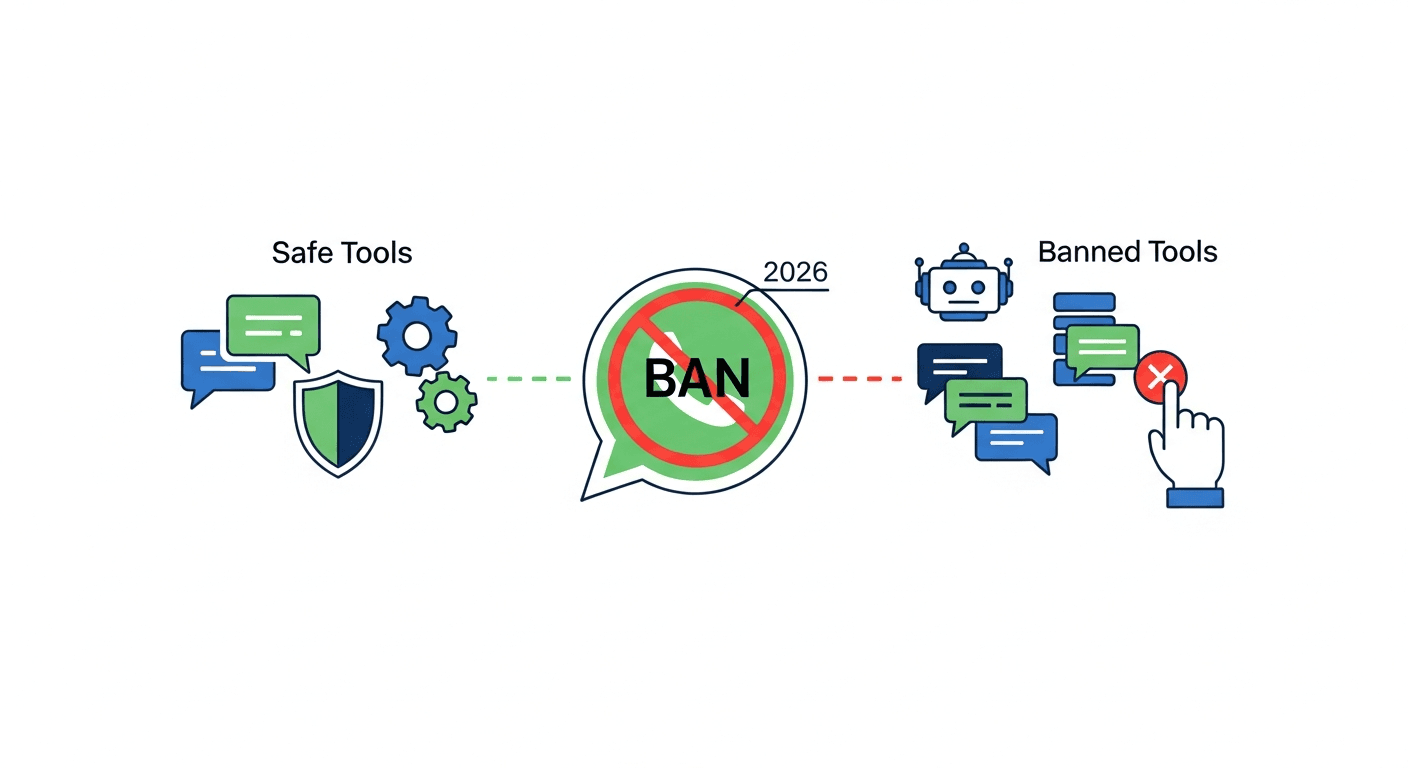
What Is the WhatsApp Automation Ban Risk in India?
The whatsapp automation ban risk for Indian businesses is high — specifically for those using unofficial tools. WhatsApp actively detects and bans accounts using reverse-engineered automation. Detection is automated and does not depend on complaints. If your tool uses QR code scanning to connect, it runs on a reverse-engineered protocol that WhatsApp's systems flag at the network layer before your first message is even read by a human.
The whatsapp automation ban risk depends entirely on which tool you use, not how many messages you send. Understanding this distinction saves businesses from losing their primary sales channel overnight.
Which WhatsApp Automation Tools Get Banned?
Tools that reverse-engineer WhatsApp Web (Baileys, WAHA, Evolution API) carry critical ban risk and typically last 2–8 weeks before detection. Only the official WhatsApp Business API carries zero ban risk when used with approved message templates.
| Tool | Method | Ban Risk | Typical Lifespan |
|---|---|---|---|
| Baileys | Node.js library reverse-engineering WhatsApp Web protocol | 🔴 Critical | 2–8 weeks |
| whatsmeow | Go library, same approach as Baileys | 🔴 Critical | 2–8 weeks |
| Evolution API | REST wrapper around Baileys/whatsmeow | 🔴 High–Critical | Weeks to months |
| WAHA | Docker container running Baileys/whatsmeow | 🔴 High–Critical | Weeks to months |
| WA-Automate / Venom | Puppeteer automation of WhatsApp Web browser | 🟠 High | 1–3 months |
| Official WhatsApp API (via BSP) | Meta's official Cloud API through certified provider | 🟢 Zero Risk | Indefinite |
The fastest check: If a tool asks you to scan a QR code to connect, it's unofficial and your number is at risk.
How Does WhatsApp Detect Automation?
Understanding whatsapp automation ban risk means understanding WhatsApp's four-layer detection system. It operates independently — you can get flagged on Layer 1 alone without ever sending a high volume of messages. Random delays and number rotation do not prevent bans because they only address Layer 3 signals.
KRAYA AI — WhatsApp CRM for Indian Sales Teams
Automate your WhatsApp Automation Ban Risk workflows with Kraya AI
Kraya's AI agent qualifies leads, follows up automatically, and routes conversations to the right sales rep — 24/7. Used by 600+ Indian sales teams across coaching, real estate, healthcare, and more.
Book a Free Call →Layer 1 — Protocol Fingerprinting
WebSocket handshake patterns, encryption key negotiation order, and session timing differ measurably from legitimate WhatsApp Web clients. Meta maintains a fingerprint database of known unofficial clients. This runs before any message is sent — it flags connections, not behavior.
Layer 2 — Behavioral Signals
Automated tools send at inhuman regularity — 200 messages at perfectly timed 4-second intervals, for example. Human messaging has natural variance that automated tools don't replicate accurately, even with random delay injection.
Layer 3 — User Report Velocity
Unsolicited bulk messages trigger recipient reports. WhatsApp tracks report velocity per sending number. A spike in reports triggers automated review that escalates to permanent ban.
Layer 4 — Shared Infrastructure Detection
Multiple instances on the same IP/subnet create correlated ban patterns. When one Evolution API instance gets flagged, behavioral similarity triggers review of neighboring accounts on the same host.
Is WhatsApp Automation Legal in India?
Using the official WhatsApp Business API is completely legal and compliant with both Meta's Terms of Service and India's IT Act. Using unofficial tools that reverse-engineer WhatsApp's protocol violates Meta's Terms of Service regardless of what you're sending — even if your message content is entirely legitimate.
There are no Indian regulations specifically prohibiting unofficial WhatsApp tools, but the legal exposure comes from Meta's ToS and the operational consequences: permanent loss of the number, which has real business and contractual implications for any company depending on it for customer communication.
"We used Baileys for 8 months without issues. Then one update hit and every number we had was gone in 48 hours. Three weeks to recover our main number. We lost 4 deals in that window." — Real estate broker, Pune
What Happens When WhatsApp Bans Your Number?
A WhatsApp automation ban follows a predictable two-phase pattern. The temporary restriction phase lasts 24–72 hours where you can receive but not send messages. If the underlying cause isn't resolved, this escalates to a permanent ban requiring formal appeal to Meta.
| Phase | Duration | Capability | Recovery Path |
|---|---|---|---|
| Temporary Restriction | 24–72 hours | Can receive, cannot send | Stop tool use; wait for reset |
| Permanent Ban | Indefinite until appeal | Number non-functional | Formal appeal via WhatsApp Business app |
Recovery timeline after permanent ban: 2–8 weeks from appeal submission. First-violation success rate: 30–40%. Drops sharply for repeat offenders.
How Much Does a WhatsApp Ban Cost Indian Businesses?
For real estate, education, and fintech businesses in India, a three-week ban during peak season typically costs ₹2–25 lakhs in lost pipeline, according to Kraya AI's analysis of 600+ Indian SMB accounts. The damage isn't just direct — leads message during the ban, get silence, and move to a competitor. By the time your number recovers, those conversations are dead.
"The worst part isn't the ban itself. It's that your leads don't know you're banned. They send messages, get silence, and move to the next broker. By the time your number is back, the deal is dead." — WhatsApp CRM user, Mumbai
Real Cost Structure
- Each lost deal: ₹50,000–5 lakh in commission
- 3-week ban during high season: 5–15 lost deals
- Total damage: ₹2–25 lakhs for mid-size teams
- Recovery timeline: 2–8 weeks from appeal submission
- Appeal success rate (first violation): 30–40%
What Doesn't Reduce WhatsApp Automation Ban Risk?
Several popular "workarounds" have no meaningful effect on ban risk because they only address Layer 3 signals while Layer 1 protocol fingerprinting remains the primary detection mechanism.
- ❌ Random delays between messages — Masks behavioral signals but not protocol fingerprint (Layer 1 detection fires first)
- ❌ Rotating phone numbers — New numbers associated with same business get correlated and flagged together via Layer 4
- ❌ Modified Baileys forks — Meta updates detection faster than maintainers can patch; highest-risk period is between Meta update and patch release
- ❌ Low-volume sends — Volume is only Layer 3; protocol fingerprinting catches you at Layer 1 regardless of message count
- ❌ Using a "burner" number — If it's associated with the same Facebook Business Manager or same IP, it gets correlated
Which Indian Industries Face Highest WhatsApp Automation Ban Risk?
Real estate brokers, education and coaching centers, NBFC/fintech companies, and e-commerce businesses face the highest ban risk because their operations depend on high-volume outbound messaging to opted-in and non-opted-in contacts simultaneously.
- Real estate brokers — High volume, multiple lead sources (99acres, JustDial, Facebook), frequent bulk sends to non-opted-in lists
- Education and coaching centers — Seasonal campaigns to large lists; admission season creates high-volume spikes that trigger review
- NBFC/fintech — Collections and disbursement notifications; regulated messaging adds compliance exposure on top of ban risk
- E-commerce D2C — COD confirmation, logistics updates, abandoned cart; high frequency per customer
How to Use WhatsApp Automation Without Getting Banned
The whatsapp automation ban risk drops to zero with the official WhatsApp Business API, accessed through a Meta-certified Business Solution Provider (BSP). Messages route through Meta's own servers under an audit trail Meta controls. There is no protocol reverse-engineering involved — it's the same infrastructure WhatsApp itself operates.
What Changes with the Official API
- ✅ Permanent operation without ban risk
- ✅ No protocol detection concerns
- ✅ Full audit trail — every message logged
- ✅ Up to unlimited sending at enterprise tier
- ❌ Outbound template messages must be pre-approved by Meta
- ❌ Quality rating system applies — spam-like behavior still limits sending
"We were getting ban-scared every week with the old setup. Switched to the official API through Kraya and haven't had a single issue in nine months. The only thing that changed is we had to get our templates approved upfront — which took 3 hours, not 3 days." — Operations head, D2C brand, Bengaluru
How to Check If Your WhatsApp Number Is Already at Risk
If you're currently using an unofficial tool, the whatsapp automation ban risk on your number is already active regardless of how long you've gone without a ban. The absence of a ban means you haven't been reviewed yet, not that you're safe. To check current status, open WhatsApp Business app → Account → look for any warning flags about Quality Rating or messaging limits. A Yellow or Red quality rating means you're already under scrutiny.
Immediate Steps If You're Using Unofficial Tools
- Stop sending bulk messages immediately
- Export your contact list and conversation history while you still can
- Apply for WhatsApp Business API access through a BSP (typically 2–3 working days)
- Migrate number or register a clean number with the official API
- Set up approved templates for outbound messaging
Kraya AI helps Indian sales teams migrate to the official WhatsApp Business API and automate lead follow-up without ban risk. See the best WhatsApp Business API providers in India or read how WhatsApp API pricing works before making a switch.
Related: WhatsApp CRM for Indian sales teams | WhatsApp cold outreach templates that work | How to prevent your WhatsApp from getting banned